
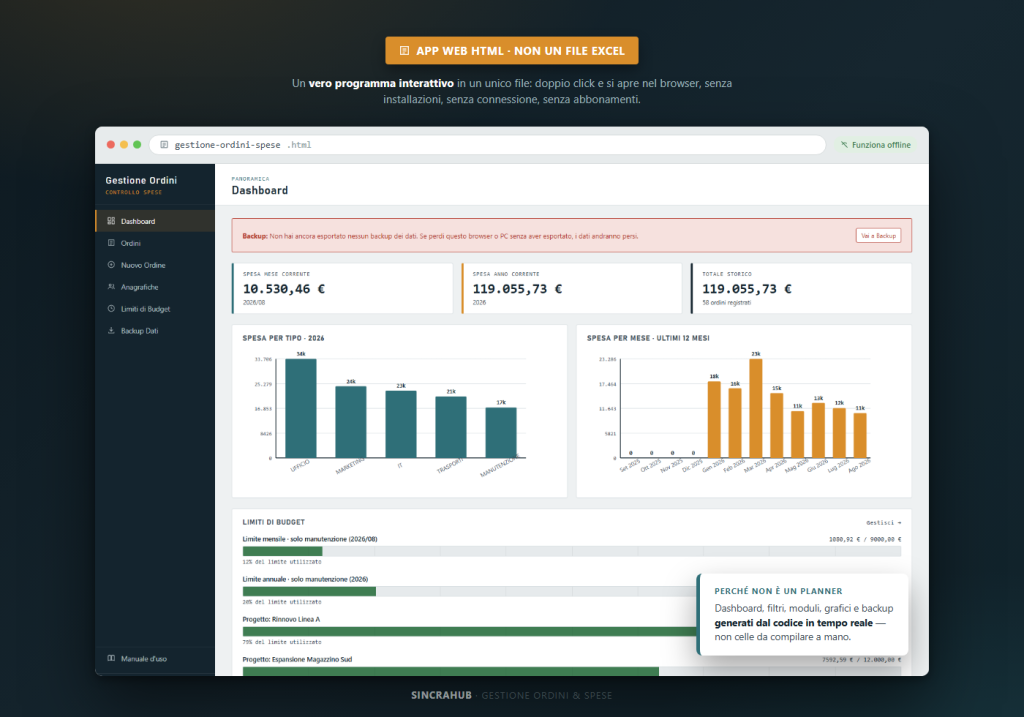
A complete web app for orders and expenses, no subscriptions or installation.
The problem
Tracking orders, suppliers and budget across scattered spreadsheets or expensive management software makes it hard to keep spending under control in real time, especially for small businesses, offices or job sites.
The solution
Order & Expense Management is a real web application in a single HTML file: it opens with a double-click, works offline, and automatically calculates the dashboard, budget and spending limits — no cloud subscriptions or expensive management software required.
What you can do
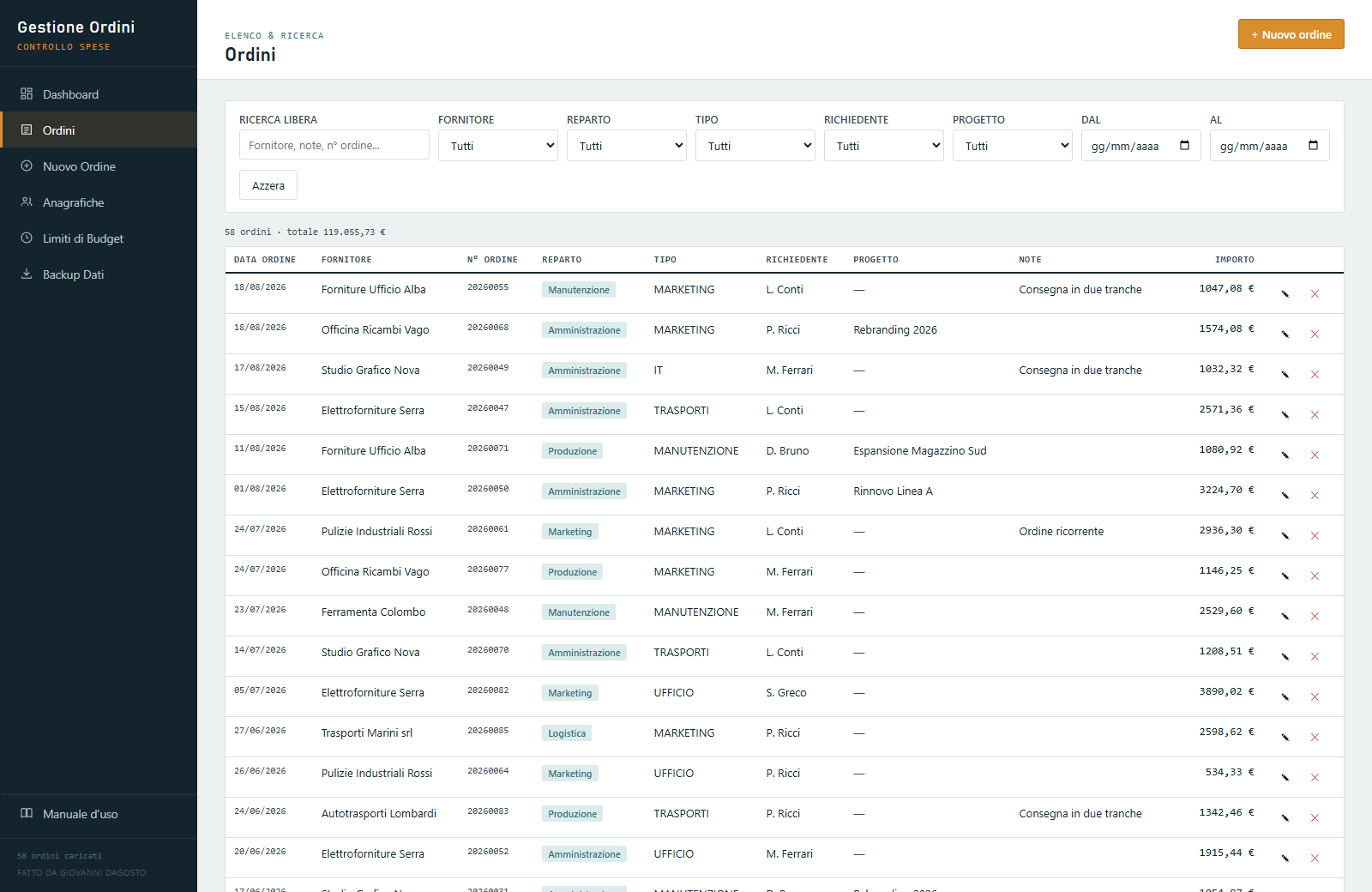
- Log every order with supplier, amount, department, expense type and requester
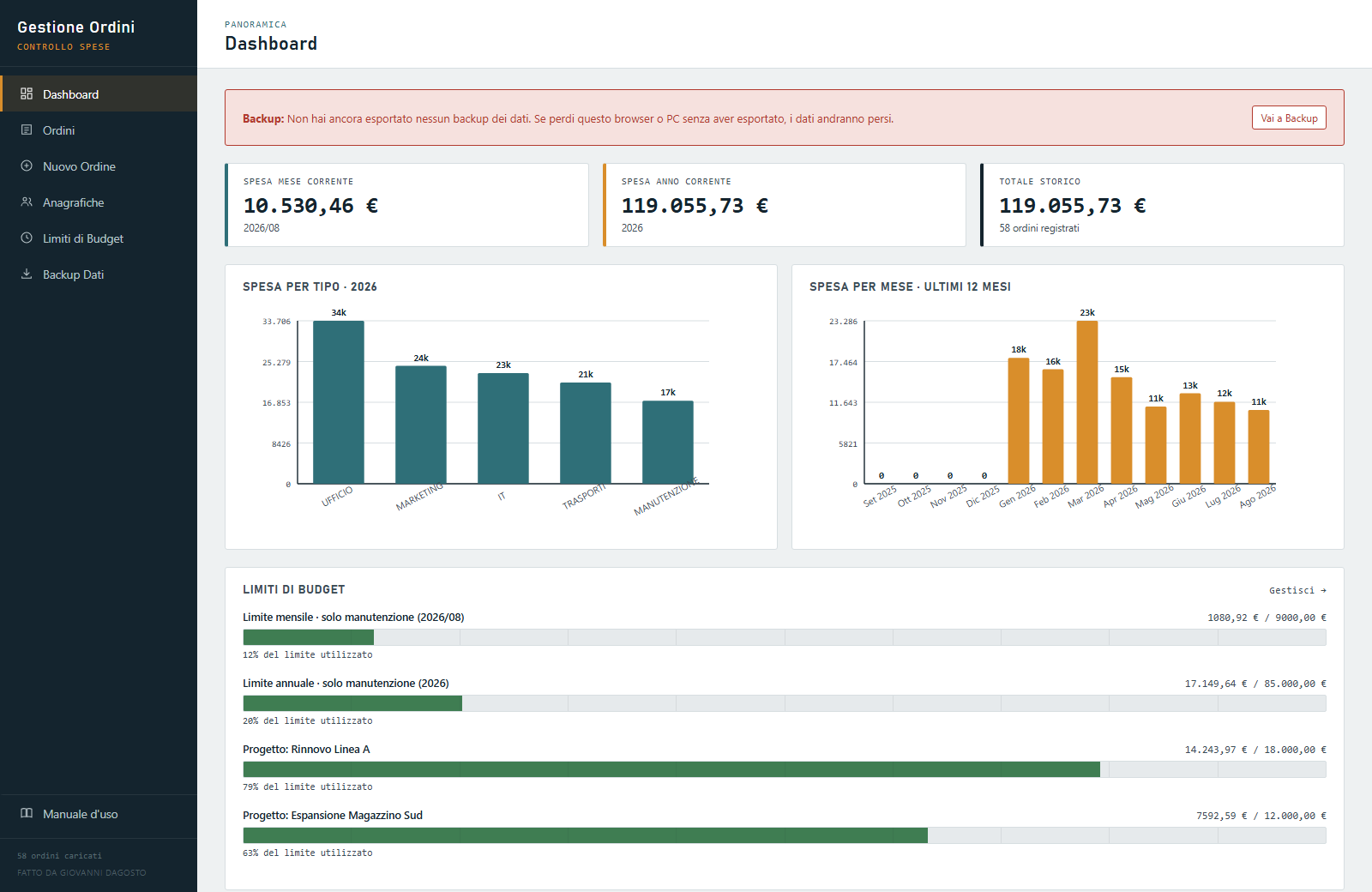
- Dashboard with automatic KPIs and charts (by expense type and monthly trend)
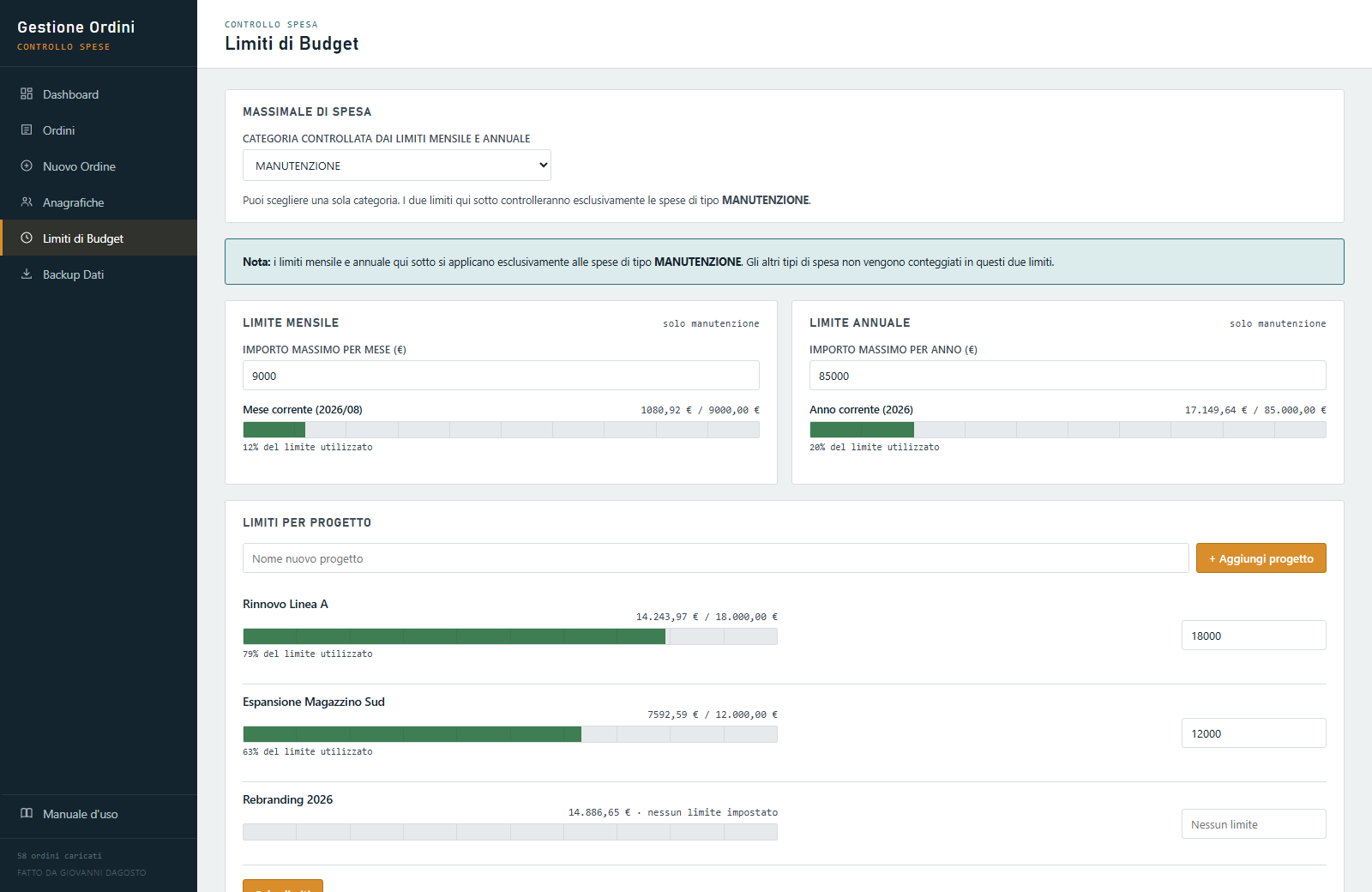
- Monthly, annual and per-project budget limits with traffic-light alerts
- Advanced search and filters on orders, sortable by column
- Customizable master data (suppliers, departments, types, requesters, projects)
- Full JSON backup/restore and CSV export of orders
- Password-protected deletion area
- Built-in user manual inside the app
How it works
- Open the HTML file in your browser, no installation needed.
- Log orders, suppliers and expenses in the entry form.
- Check the dashboard, charts and budget limits, updated automatically.
Gallery
Note: the file you purchase opens empty, ready for your real data — the images below show the app with demo data, so you can see it in action.
Compatibility
HTML web application: runs directly in the browser, no installation needed. Compatible with major up-to-date desktop and mobile browsers. Data is saved locally in your browser, no account required.
What’s included
- Ready-to-use HTML file
- Built-in user manual inside the app
- Free updates in case of genuine errors
- Support via the Contact page
FAQ
Do I need to install anything?
No, just open the HTML file in your browser: no installation, no account.
Is my data safe?
Yes, it’s always saved locally in your browser: it’s never sent to external servers.
How do I receive the product?
Automatic delivery by email right after purchase.
Can I use it on multiple computers?
Yes, you can use it on multiple computers for personal use.