
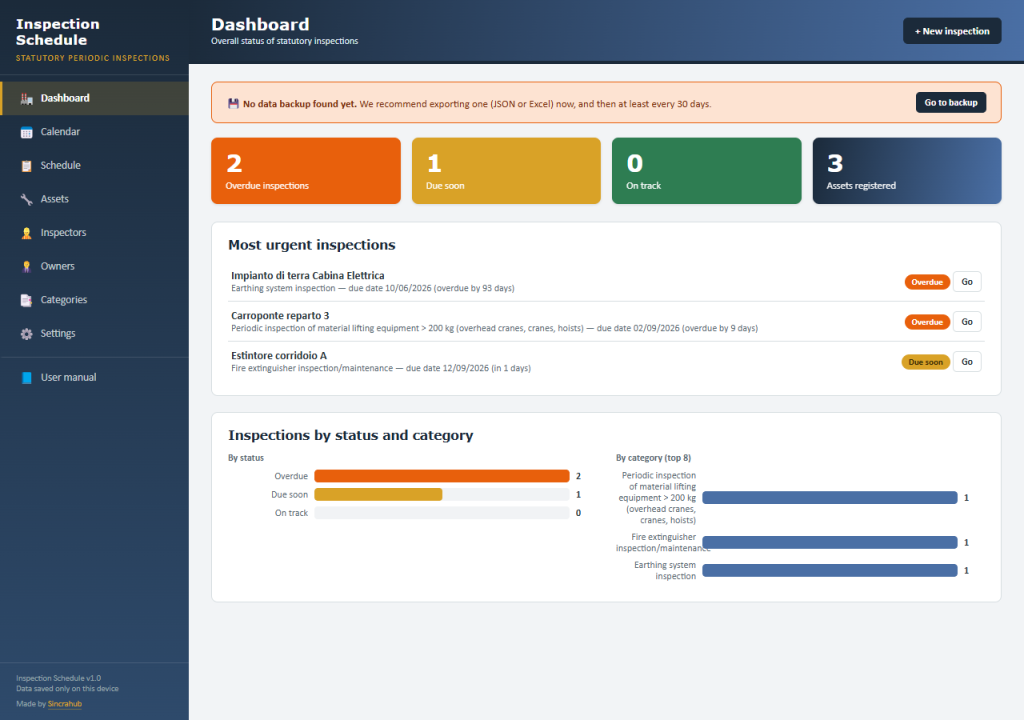
The web app edition of the Inspection Schedule: opens in the browser, no installation or subscriptions.
The problem
Mandatory periodic inspections of plant and equipment are often tracked in scattered spreadsheets or emails, with no single point of control. A missed deadline means idle equipment, fines, or real safety risks — and anyone who’d rather not work with Excel formulas often keeps putting off getting this data in order.
The solution
Statutory Periodic Inspection Schedule — Web App is a genuine application in a single HTML file: it opens with a double-click, works offline, and calculates due dates, status and reminders for every planned inspection on its own, with no cloud subscriptions or expensive management software.
What you can do
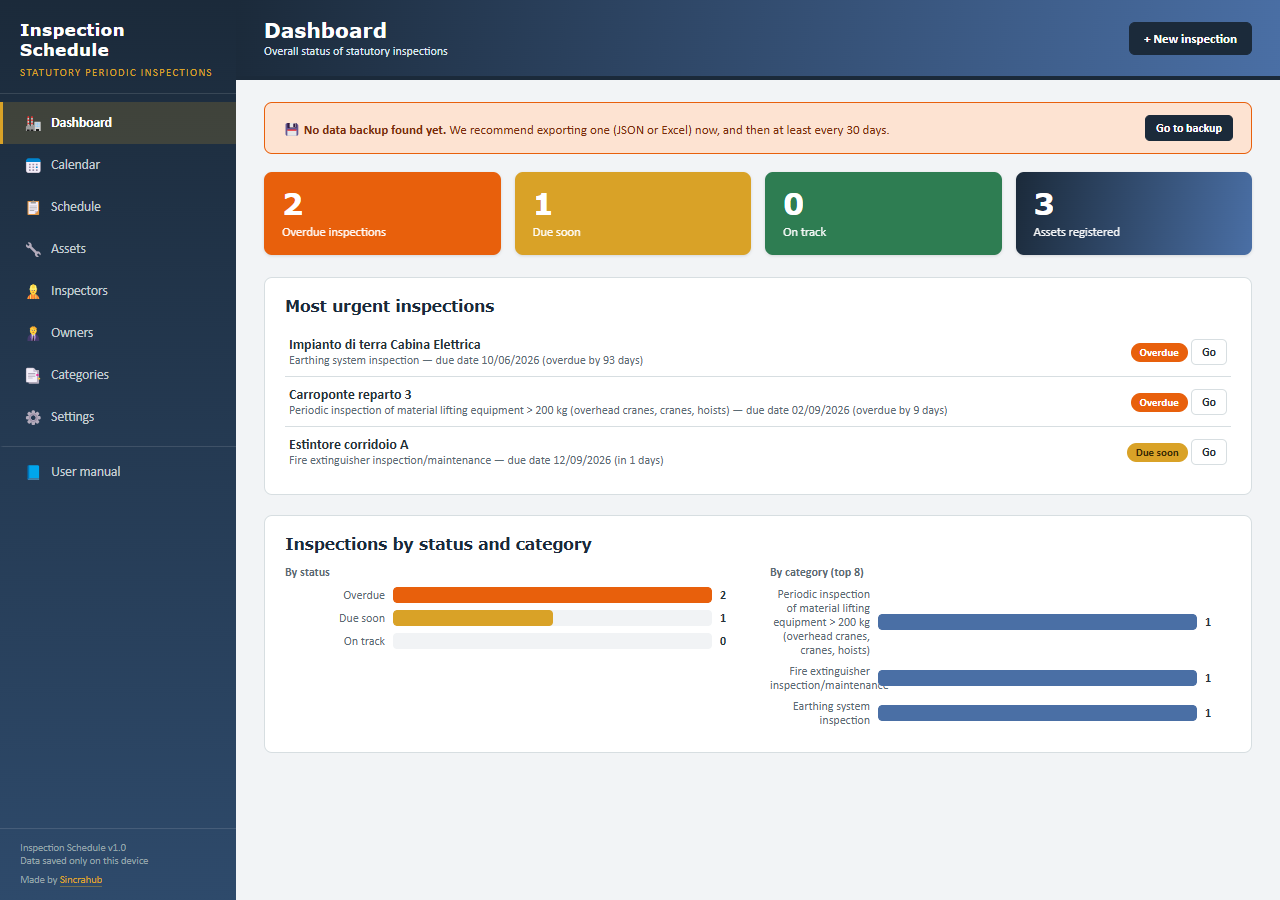
- Dashboard with automatic KPIs and charts by inspection status and category
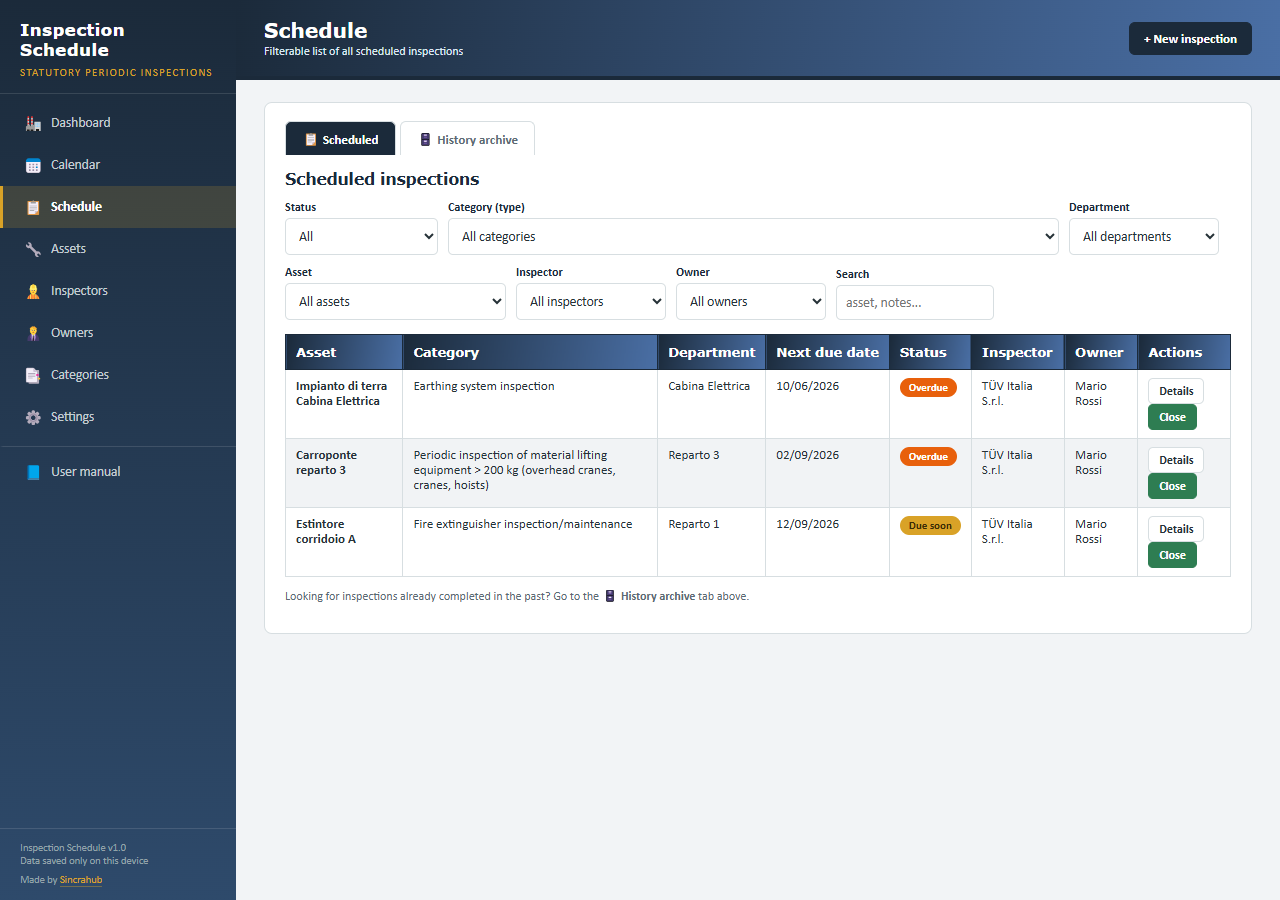
- Calendar and Schedule view with advanced filters and search
- Automatic calculation of status (Overdue/Due soon/On track) and next due date from the history
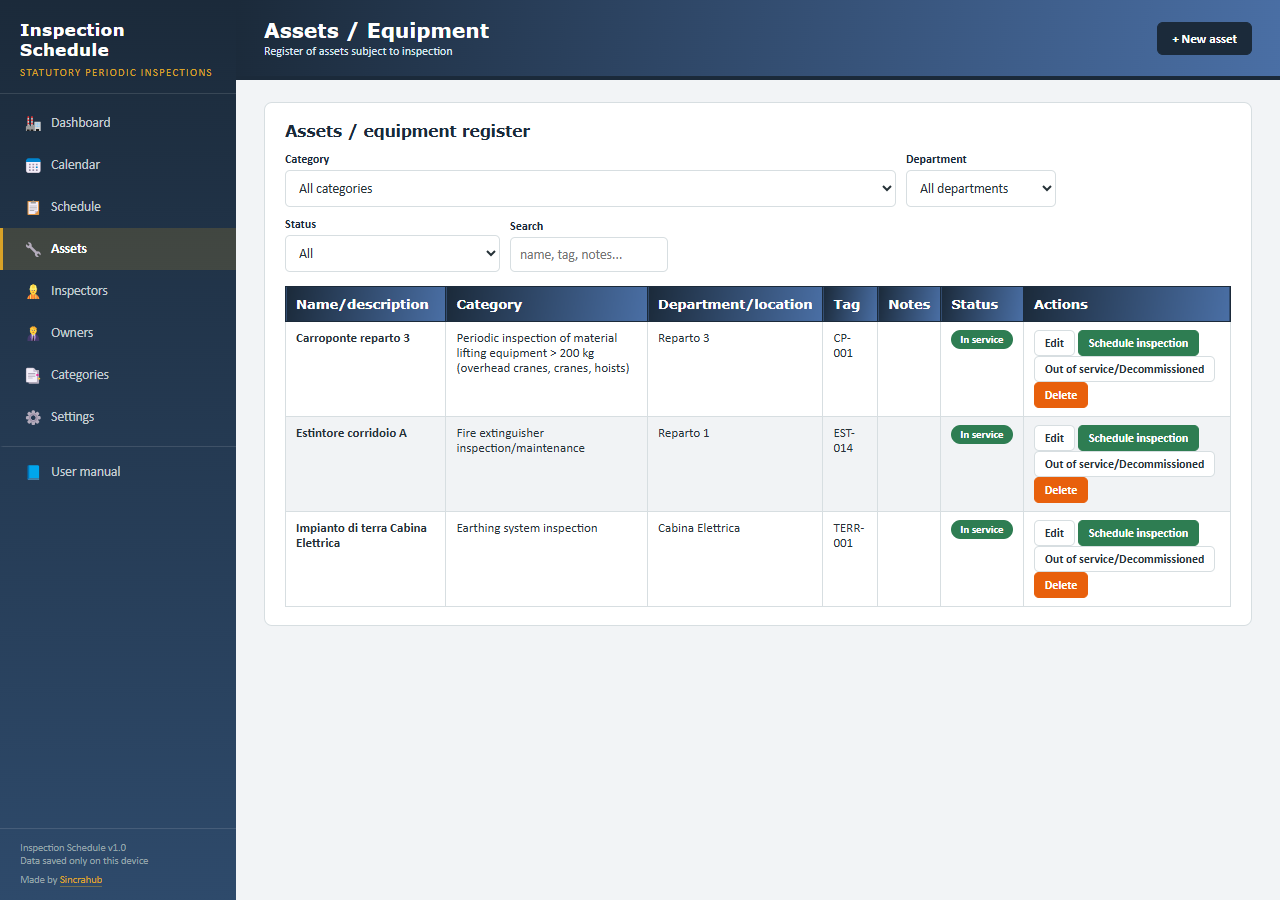
- Customisable registers for assets, inspectors and owners
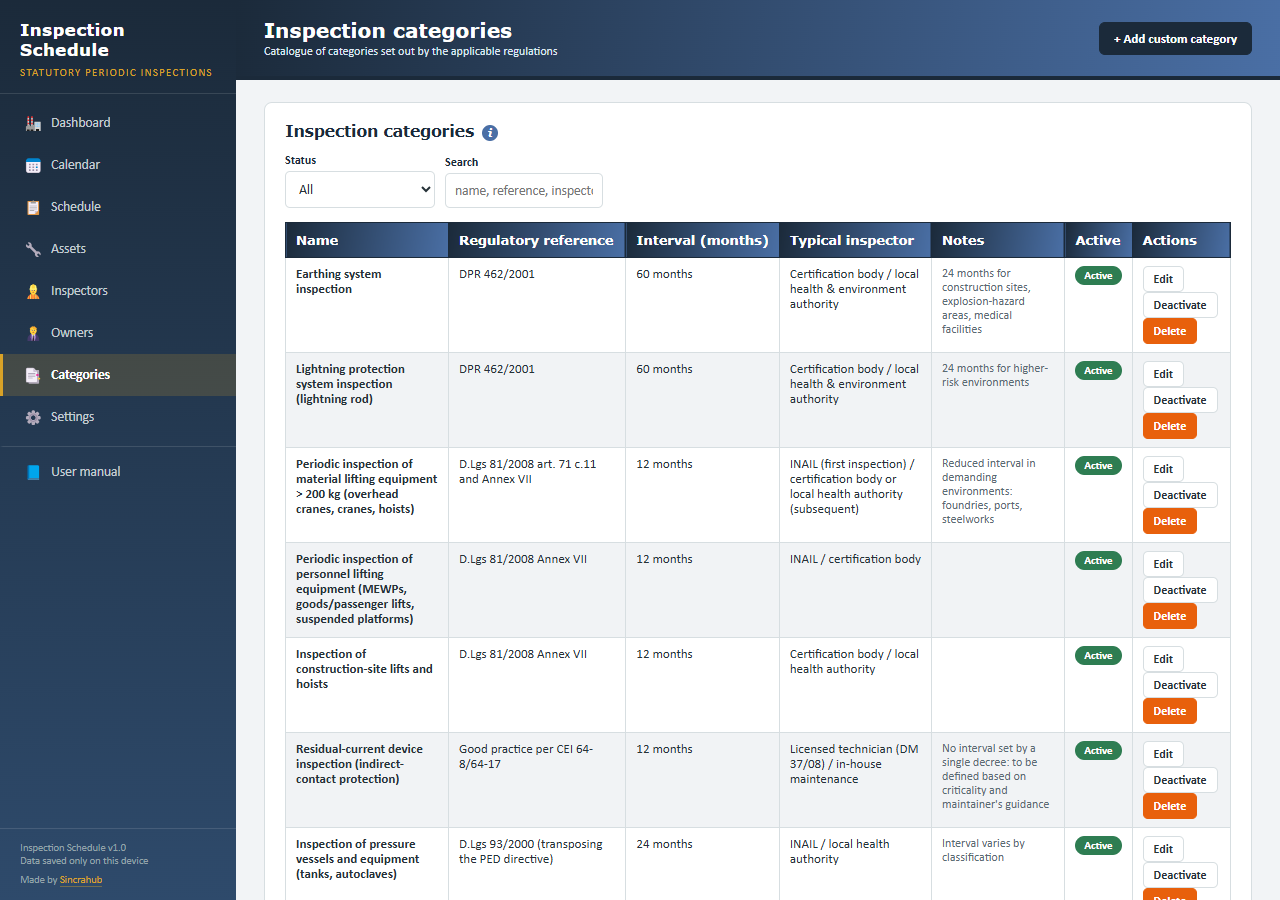
- Catalogue of inspection categories based on Italian regulations, with editable intervals
- Full backup/restore in JSON and export to Excel
- Password-protected deletion zone
- Built-in user manual inside the app
How it works
- Open the HTML file in your browser, no installation needed.
- Register assets, inspectors and owners, then schedule inspections.
- Check the dashboard, calendar and reminders, updated automatically.
Note: the file you purchase opens empty, ready for your real data — the images below show the app with demo data, so you can see it in action.
Gallery
Compatibility
HTML web application: works directly in the browser, no installation needed. Compatible with major up-to-date desktop and mobile browsers. Data is saved locally in your browser, no account required.
What’s included
- Ready-to-use HTML file
- Built-in user manual inside the app
- Free updates for genuine errors
- Support via the Contact page
FAQ
What’s the difference from the Excel version?
Same concept, different technology: this is a full web app with a built-in dashboard, calendar and reminders; the Excel version remains available separately for anyone who prefers working in a spreadsheet.
Do I need to install anything?
No, just open the HTML file in your browser: no installation, no account.
Is my data safe?
Yes, it’s always saved locally in your browser: it’s never sent to external servers.
How do I receive the product?
Automatic delivery by email right after purchase.
Can I use it on multiple computers?
Yes, you can use it on multiple computers for personal use.